
Anúncios
Streaming apps have reshaped how people watch movies and series, offering instant access to entertainment anytime, anywhere. 🎬
Choosing the right movie and series app can feel overwhelming given how many options flood app stores today. Each platform brings its own catalog, pricing model, and viewing experience.
This guide breaks down what actually matters when picking a streaming app, from technical features to content libraries, so you can make a smarter choice for your daily entertainment routine.
What Makes a Streaming App Actually Good?#
Not all apps for watching movies and series are built the same. Some prioritize speed, others focus on massive catalogs, and a few nail both.

Here are the core factors that separate a solid app from a frustrating one:
- Streaming quality — adaptive bitrate that adjusts to your connection without constant buffering
- Offline downloads — essential for flights, commutes, or areas with weak signal
- Multi-device sync — picking up an episode on your phone right where you left off on a tablet
- Subtitle and audio options — multiple languages and customizable text size
- Interface responsiveness — how fast menus load and how intuitive the search function is
Apps that skip even one of these usually lose users within the first week. Retention data from app analytics firms consistently shows that buffering issues are the number one reason people uninstall streaming apps.
Technical Specs That Actually Impact Your Experience#
Video resolution matters, but it’s not everything. An app streaming in 4K with poor compression can look worse than a well-optimized 1080p feed.
Look for apps supporting **H.265 (HEVC) codec**, which delivers better quality at lower data usage compared to older H.264 standards. This matters especially if you’re watching on mobile data.
| Feature | Why It Matters |
|---|---|
| Adaptive streaming | Reduces buffering on unstable Wi-Fi or mobile networks |
| Chromecast/AirPlay support | Lets you cast content to a TV without a smart TV app |
| Background audio | Useful for podcasts or audio-only content within the same app |
| Parental controls | Restricts content by age rating for family accounts |
Free vs Paid: Understanding the Real Trade-offs#
Free apps for movies and series usually rely on ads or limited catalogs. Paid subscriptions remove ads but lock you into monthly costs that add up fast.
The average household in 2024 subscribes to **four different streaming services simultaneously**, according to industry surveys, spending upward of $50 monthly combined. That’s where free or low-cost alternatives become appealing.
Some apps aggregate content from multiple sources, letting you browse titles without juggling five separate logins. This model has grown popular because it solves the fragmentation problem that frustrates so many viewers.
What to Check Before Downloading Any App#
Before installing, run through this quick checklist:
- Read recent reviews — focus on ones from the last 30 days, not older ratings
- Check app permissions requested during installation
- Verify the app updates regularly (monthly updates suggest active maintenance)
- Confirm compatibility with your device’s operating system version
Apps that haven’t updated in six months or more often have compatibility issues or security gaps. Developers who actively maintain their apps typically fix bugs faster and add new features based on user feedback.

Pobreflix – Filmes e Séries
Size27.6MB
PlatformiOS
PriceFree
Information about size, installs, and rating may change as the app is updated in the official stores.
Organizing Your Watchlist Across Multiple Platforms#
Juggling series across different apps becomes messy without a system. Most people lose track of what episode they stopped on when switching between platforms.
A few practical habits can fix this:
- Use a single note-taking app or spreadsheet to track progress across platforms
- Enable notifications only for shows you’re actively watching to avoid alert fatigue
- Group apps by genre preference — one for documentaries, another for drama series
This kind of organization sounds minor, but it genuinely reduces the mental friction of deciding what to watch, which research on decision fatigue links directly to lower satisfaction with streaming choices.
Storage and Data Usage: The Hidden Cost#
Downloading episodes for offline viewing eats storage fast. A single hour of HD content can take between 300MB and 1GB depending on compression settings.
For users with limited phone storage, here’s a rough guide:
| Video Quality | Approx. Size per Hour |
|---|---|
| SD (480p) | 150–300 MB |
| HD (720p) | 300–600 MB |
| Full HD (1080p) | 600 MB–1.2 GB |
| 4K Ultra HD | 2.5–7 GB |
If your device has 64GB or less of storage, sticking to SD or HD downloads and deleting watched content regularly keeps things manageable. 📱
Security Habits Every Streaming App User Should Follow#
Downloading apps outside official stores carries risk. Malicious clones of popular streaming apps have appeared on third-party sites, often bundled with adware or worse.
Stick to these basic rules:
- Only download from Google Play or the Apple App Store whenever possible
- Check the developer name matches the official brand exactly
- Avoid apps requesting excessive permissions unrelated to video playback, like contact list access
- Keep your operating system updated to patch known security vulnerabilities
A 2023 cybersecurity report found that fake streaming apps were among the top five categories used for malware distribution on Android devices. Taking two extra minutes to verify an app’s legitimacy saves potential headaches later.
Setting Up Parental Controls Properly#
Families sharing one account need clear boundaries. Most modern apps let you create separate profiles with age-based restrictions built in.
Steps that actually work:
- Create individual profiles for kids with PIN-protected adult content
- Set maximum age ratings per profile (G, PG, PG-13, R)
- Review viewing history periodically to catch unauthorized access
These settings take maybe five minutes to configure but prevent awkward situations down the road, especially with younger children who tend to tap through menus quickly.
Picking the Right App for Your Viewing Style#
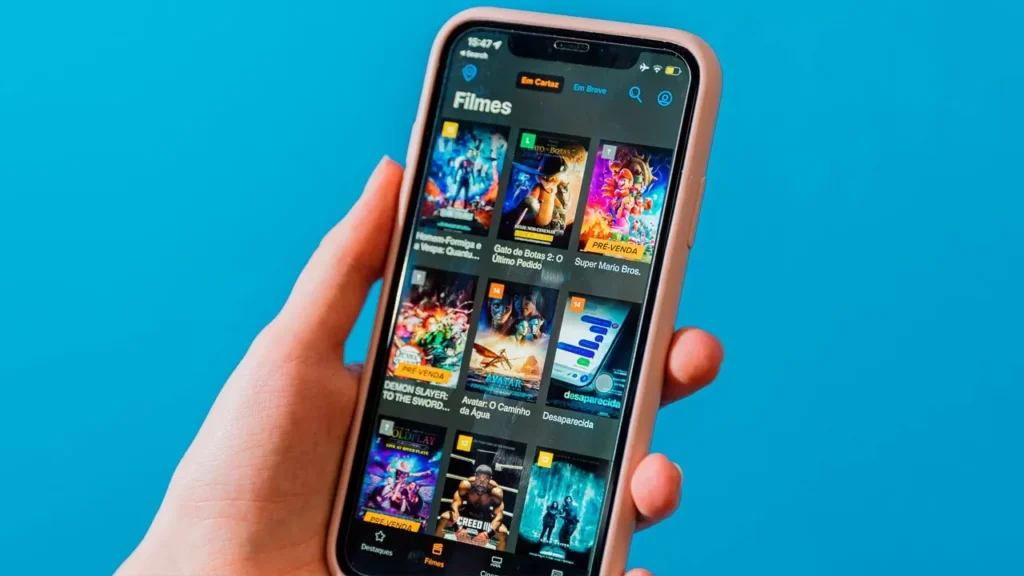
Someone who binges entire seasons in a weekend has different needs than someone who watches one episode per night before bed. Matching the app to your habits matters more than chasing the biggest catalog.
Binge-watchers benefit from apps with **auto-play next episode** features and strong recommendation algorithms. Casual viewers might prioritize apps with better bookmarking and “continue watching” organization instead.
Consider also how you watch — phone, tablet, or casting to a TV. Apps optimized primarily for mobile sometimes render poorly when mirrored to larger screens, with stretched interfaces or misaligned subtitles.
Testing an app for a week before committing to heavy use reveals these quirks faster than reading reviews alone. Most apps are free to try, so there’s little downside to experimenting before settling into a routine.
The best approach combines two or three apps that complement each other rather than relying on a single platform for everything. This way, you get variety in content while keeping monthly costs and storage usage under control.
Keep reading
You might also like
Private Video Call App for Secure Mobile Communication
Private video calling apps let you connect face-to-face instantly, securely, and without complicated setups — perfect for personal and professional conversations alike.…

Best Dating Apps for Meeting New People and Connections
Meeting new people used to mean bars, blind dates, or awkward introductions. Today, a dating app can change how connections actually happen.…